Posts

CCR

Image
 Hello this is my CCR! I worked very hard throughout my project and this is the final stretch!

Final Task: Charlie

Image
Madelyn Argueta AICE MEDIA STUDIES Hey guys! This is my final task and I had so much fun making it. Enjoy watching! 

Production Blog: Changes made from film review!

Image
 Madelyn Argueta  AICE MEDIA STUDIES  Hey guys!  Today I was taking under consideration the critiques my mom and friend made to me from my previous blog. I decided that making those changes would make my film look better so today I added in my those changes which were my final touches before you guys see it. I started off by adjusting the length of my titles to make them longer and legible. This took me about twenty minutes. Once done I rewatched it to see if the titles were more legible now which they were. Then I rewatched the film on Cap cut to see the quality of the film. But noticed that the quality was fine on Cap Cut. Then I realized that when I showed my mom and friend the video, I had exported the film in the lowest resolution. Which was 480P instead of 2k/4k. So I wrote myself a note that when I re-export it to upload I had to make sure the resolution was at 2k/4k. While writing this note I also remembered to write down that I had to credit the song owner o...

Production Blog: Film Review!

Image
 Madelyn Argueta  AICE MEDIA STUDIES Hey guys! Today I had my mom look at my opening sequence. I had my mom look at my opening sequence because even though I thought my opening sequence was good, I wanted feedback from an outside perspective. While my mom was watching my opening sequence I told her to write down some edits or changed she thought needed/ should be made to enhance my final task. Once she finished watching my final task, she told me that I should fix the quality on the video. She also said that I should make my titles last longer because they went by to fast and that she could not read them. Other than that my mom said my film looked very good and professional. She also complimented the films transitions, and effects. After I got the feedback from my mom, I went ahead and asked another friend for feedback. I asked another person because I wanted to see if she thought something different than my mom's perspective. My friend said she'd loved to watch and critique m...

Production Blog: Last Bit of Editing!

Image
 Madelyn Argueta AICE Media Studies Hey Guys! Today I am finishing my filming! In my previous blog I told you guys that I found my perfect song for my opening sequence so today I inserted it into my editing software. Because of the issues in Video Star (which I stated in a previous blog) I finished editing in Cap Cut. Once I added my song I went ahead and clipped some parts to adjust the volume of the song. I wanted the song to be quieter in scenes where the characters were speaking but louder in quieter scenes. For example the scene in the beginning that showed the game the characters were playing. Once I adjusted the audio for all of the split audio scenes, I rewatched the film to make sure I accurately adjusted the audio. Thank god I rewatched it because I made the louder audio to loud. I also made the quieter audio basically mute. So I went back and adjusted the audio once again. Then I rewatched the film and loved how it turned out. Though, I got an idea while rewatching the f...

Production blog: Tunes!!

Image
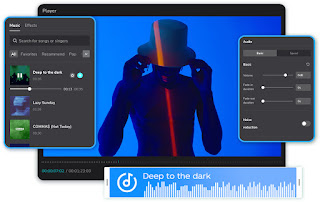
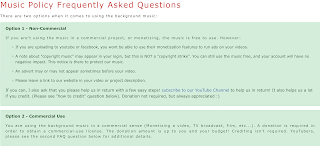
 Madelyn Argueta AICE Media Studies Hey guys!  Today I started looking for a background song for my film. At first I had no clue of where to begin but I started off with the first typical thing anyone does. I googled it. While I was looking for songs I had to remember I couldn't use just any song. I had to have permission to use the song for my opening sequence. I remember in class we learned about using copyright free music. At first when googling music to use in my opening sequence I found out about royalty free music but as I googled it I found out I had to pay the creator a fee to use and I was unsure and unable about how to pay. But when searching I found a website called FesliyanStudios which had many songs that fit our mood of mysterious and suspenseful. The song was by David Fesliyan called "Too Crazy" and I really enjoyed it and wanted to use it but it was a royalty free song. Although it was a royalty free song I continued on the website and found the policy. Wh...

Production Blog: Continuation of filming!

Image
 Madelyn Argueta  AICE Media Studies  Hey guys!  Today I realized that I made a mistake. I forgot to film one of the scenes for my final task. Also when I exported my final film through Cap Cut with the highest quality I realized that it was not the editing software that was making the film look lower quality, it was some of my clips. At first I was unsure of what to do. It was very hard to set our filming dates in the beginning due to our tight schedules. So how was I going to fix this issue? Then suddenly I got an idea. Since we filmed in Giovanna's (my group mates) house, with her brother as part of the cast, I thought that one of her parents could film a quick scene for my film. Along with filming the quick missing scene they could quickly reshoot two of my lower quality clips. This was a great idea because the clips that needed shooting only involved the two characters who live at the filming scene. Also this way we did not have to wait day or maybe even a week ...

Production Blog: Editing!

Image
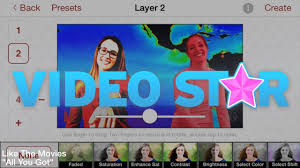
 Madelyn Argueta AICE MEDIA STUDIES Hello guys! Today I continued my long process of editing my final task. So to pick up from where we left off I went back into video star and exported my video. Once I exported my video I went ahead and opened my photos app on my phone to watch the film. To my surprise, while watching my final task I discovered that some of the transitions I added into the film through video star were very sloppy and delayed. So I went back into the app and tried fixing the transitions so they would occur at the time I wanted and so they fit to my liking. After spending about an hour trying to fix these transitions I went ahead and reexported the film onto my phone and went to review it. While rewatching the film I saw that the transitions were still slightly off. So I decided to get back into the app to fix the transitions once again because I felt that they really elevated the film and made the film look professional. After a little while and through multiple tr...

Production blog: Editing!

Image
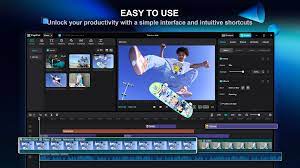
 Madelyn Argueta  AICE Media Studies Hey guys,  Today I continued my editing for my film! Since the last time, I only edited the scenes from the first day of filming; today I began editing the scenes from my second day of filming. I began by inserting the rest of my clips into CapCut in order. Following that, I cropped and adjusted the clips and the audio of the clips. Once that was done, I went ahead and inserted my music soundtrack that was going to be playing throughout the opening sequence and adjusted the volume of the audio. Adjusting the audio volume for the film was a little more difficult than I thought because I wanted the audio to be louder in certain parts while quieter in others. I ended up clipping the music I imported and adjusted each of the clip's volume to my liking. After playing around with the film's audio, I went ahead and inserted the rest of the titles. For example, the "written by" title and the "directed by" title. Once I finished t...

Production blog: Editing!!

Image
Madelyn Argueta AICE Media Studies Hey guys,  Today I began the editing process for my film! At first, I considered using the After Effects software to edit my film but I decided that it would be easier for me to use what I am already good at and use CapCut. I have also previously used Video Star to edit past videos. So I am considering incorporating that editing app/software into my film but I am still unsure and will figure it out as I go. So for now I decided to begin with inserting half of my scenes from the first day into CapCut in order. After I inserted the clips I cropped the scenes when necessary and went ahead and watched it all together for the first time. I also checked to see if the scenes were all in the right order (which they were). Once I finished watching the film for the first time, put together, I decided to play around with transitions for a few scenes. After playing around with the transitions for a little while I decided to add in a few fade and dissolve tran...

Production Blog: Filming!!

Image
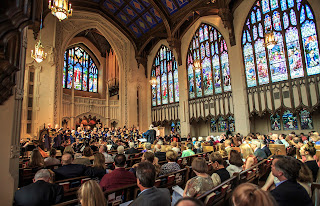
 Madelyn Argueta AICE Media Studies Hello guys,  Since I did not finish filming the other day we had to wrap it up today. Luckily I finished most of our film the other day so I finished the film's last scenes today. Due to only needing to film a few scenes today, I took my time to make sure the scenes came out great. The last scenes I filmed today were the ending scenes of my film which included the flashback, and the running scene. In the flashback scene, I had to go to a church to add a different location to our film to make the flashback scene look more authentic and genuine. At the church, I set up my phone camera and checked the lighting, and camera settings. For the flashback scene, I was able to quickly finish because it was short and I had prepared the camera and knew the angles beforehand.  I went ahead and shot from a medium close-up for one side of the flashback and shot the scene (Spooky's side of the flashback).  After I filmed half of the flashback scen...

Production Blog: Fun in filming!

Image
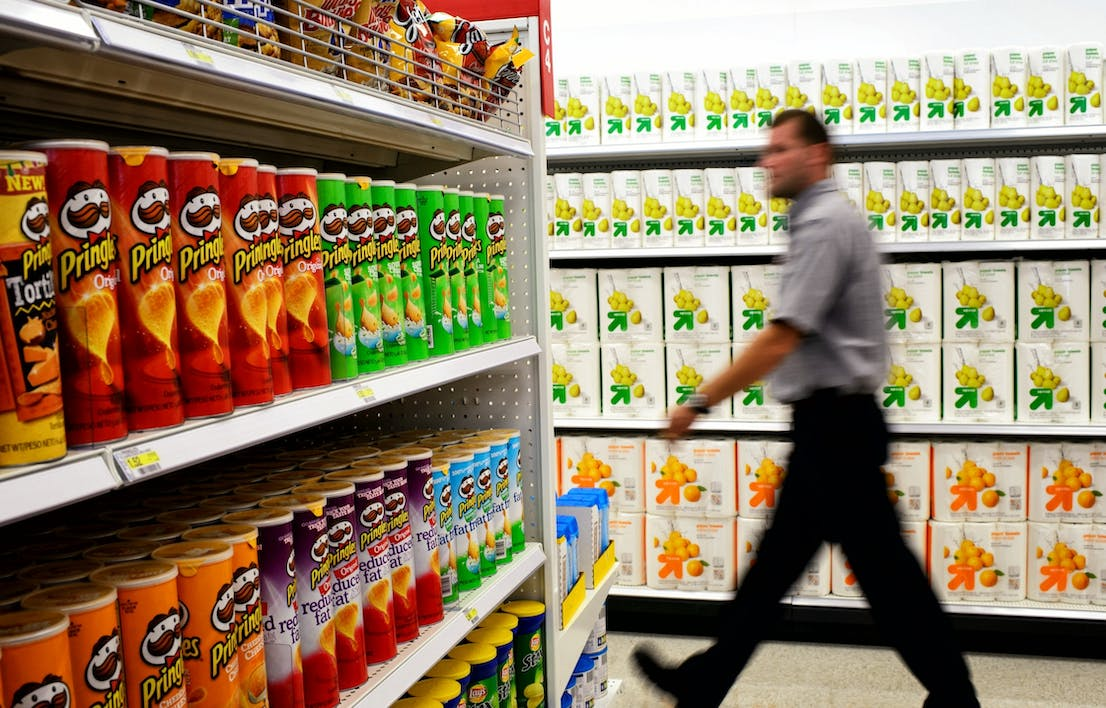
 Madelyn Argueta AICE Media Studies Hello guys,  There have been a few updates on my final task since the last time I uploaded a blog. First things first, we began our first official day of filming yesterday. The whole crew went over to Giovanna's house ready and prepared and we began officially filming. I started with the scenes that required me, the techie, to film due to tight schedules. So we went to Target, prepared the basket with daily items, and went into the chips aisle. This scene was one of the harder scenes to film due to being in a public space and the genuine shoppers that were not supposed to be in my film. Another factor that made this scene more difficult was the script. Daniel, the little brother character, could not focus and get into character which made the filming time increase. After the target scene, the crew went back to Giovanna's house to finish filming as much as we could. Once the crew got there we finished filming the scenes that surround the Targ...

Storyboards Blog!

Image
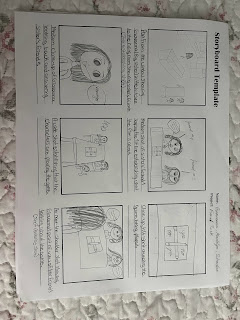
 Madelyn Argueta AICE Media Studies Hello guys, Our first storyboard contains the first scenes of our final task. Specifically where the two girls begin to explaining to the other how to play a game called "Charlie Charlie". Our second storyboard contains the scenes where the friends finish explaining the game to one of the main characters and the little brother asks join the game. Our third storyboard contains the scenes where all four characters begin to play and when the little brother (Daniel) goes to bed and wakes up coughing. Our fourth storyboard contains the scenes where the little brother goes to confront the girls in the big sisters bedroom, when the big sister and little brother go to the store, and when the little brother is about to take the bags out of the trunk of the car. Our fifth storyboard contains the scenes where the little brother is taking out bags from the trunk of the car, and when he runs inside towards the big sisters room to tell her about seeing a...

Title Design!

Image
 Madelyn Argueta AICE Media Studies Hello World,  The opening credits of my film will appear in the font Math Italic on the bottom left side of the screen.   - Working Title: The title of this film is likely to be “Charlie”   - The titles will look bold and italicized and all lowercase with the exception of the names : ๐’” ๐’๐’Ž๐’†๐’•๐’‰๐’Š๐’๐’ˆ ๐’๐’Š๐’Œ๐’† ๐’•๐’‰๐’Š๐’” ~ ๐‘ฑ๐‘จ๐‘ต๐‘ฌ   - The titles will all be typed on to the screen with the same font which is Math Italic and will Whoosh on to the screen and dis appear with a dissolve effect.   - Titles will disappear after 2 seconds, but the title of the film will disappear after 4 seconds .   -For all the titles I will be using the color black except for the names I will be using the color red. It will look something like this: ๐’…๐’Š๐’“๐’†๐’„๐’•๐’†๐’… ๐’ƒ๐’š ~ ๐‘ด๐‘จ๐‘ซ๐‘ฌ๐‘ณ๐’€๐‘ต ๐‘จ๐‘น๐‘ฎ๐‘ผ๐‘ฌ๐‘ป๐‘จ   - The titles will be size 20 while the names will be size 36.  

Final Task Planning: Other Information

Image
 Madelyn Argueta  AICE Media Studies Schedule-    2/1/24-2/10/24: Filming will begin. We will try to film most of our shots/scenes between these days and go in chronological order of the scenes .   2/19/24: We will wrap up filming and do retakes if needed.     2/10/24-3/8/24: Editing will commence . From the scenes we have filmed (chronologically) I will insert them into Cap Cut gradually throughout the filming process and before 3/8/24.   Locations -   We will be filming at Giovanna’s house (Group member) , the street in front of Giovanna’s house , and a nearby T arget .   Participants-   Actors:   Giovanna Pereira- Big sister   Agatha Franรงa - Sister's friend 1   Isabella Franรงa - Sister's friend 2   Michael Edmonson - Spooky   Daniel Pereira- Little brother   Filming:   Madelyn Argueta   Editing:   Madelyn Argueta    Shadae Bennet    Directing:   ...